apk.cafe
Best apps for your Android

Hi, There you can download APK file "VNVideo Editor" for Android free, apk file version is 2.26.0 to download to your android device just click this button. It's easy and warranty. We provide only original apk files. If any of materials on this site violates your rights, report us
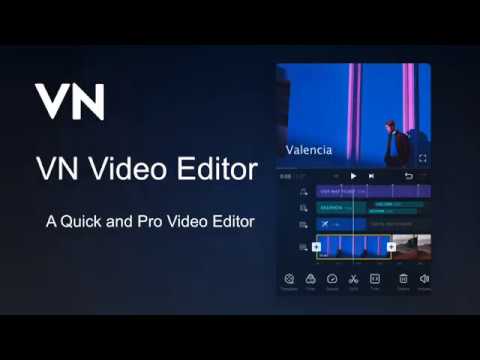
Screenshots of VN: Photo & Video Editor

  • VN: Photo & Video Editor
  • VN: Photo & Video Editor
  • VN: Photo & Video Editor
  • VN: Photo & Video Editor
  • VN: Photo & Video Editor
  • VN: Photo & Video Editor
  • VN: Photo & Video Editor
  • VN: Photo & Video Editor
  • VN: Photo & Video Editor
  • VN: Photo & Video Editor
  • VN: Photo & Video Editor
  • VN: Photo & Video Editor
  • VN: Photo & Video Editor

Description of VN: Photo & Video Editor (from google play)

VN is an all-in-one video and photo editor for TikTok, Instagram Reels, YouTube Shorts, and more. Edit on an intuitive multi-track timeline, create beat-synced videos with AutoCut and BeatsClips templates, make photo collages, use AI Kits for creative generation, add auto captions, and export in up to 4K at 60fps.

[AI Kits]
• Enhance Photo. Improve clarity, detail, and overall photo quality with AI.
• Image Generation. Create images from text prompts for thumbnails, covers, and creative assets.
• Video Generation. Generate video clips with AI to kickstart your editing workflow.

[Smart Tools]
• Auto Captions. Automatically generate subtitles from audio—supports multiple languages, subtitle templates, and animated text styles—and intelligently detect and remove filler words and silent segments for tighter, faster talking-head edits.
• Text-to-Speech. Generate voiceovers for your videos without recording.
• Video/Photo Cutout. Remove backgrounds from videos and photos in one tap.
• Smooth Slow Motion. AI frame interpolation for fluid slow-mo—even when slowing down standard frame rate footage.

[Video Editing]
• Trim & Merge. Cut clips with frame-accurate precision (0.05s) and merge them into a seamless timeline—with up to 30x zoom.
• Overlay. Add overlay videos, photos, stickers, and text on a multi-layer timeline.
• Masks. Apply masks to layers for precise, creative compositions.
• Reverse, Zoom & Freeze Frame. Play clips backward, add zoom motion, or freeze key moments.
• Add Text & Stickers. Customize text and stickers with keyframe animation.
• Music & Voice-over. Add music, sound effects, and record voice-overs directly in the app.
• Speed Control. Speed up or slow down clips with presets or advanced curve-based speed ramps.
• Keyframe Editing. Add custom keyframe animations with 19 built-in effects and adjustable curves.
• Beat Editing. Add markers to sync your clips with music beats.
• Non-destructive Editing. Save drafts anytime with full undo/redo support.

[Quick Create]
• BeatsClips. Generate beat-synced templates from your video or music—use them in templates or with AutoCut.
• AutoCut. Turn your footage into a finished edit automatically—select a BeatsClips template and sync clips to the beat.
• Story. Organize clips along a storyline first, then generate your video.
• Teleprompter. Read your script while recording talking-head videos—stay on track and never lose your flow.

[Filters, Effects & Transitions]
• Cinematic Filters & LUTs. Apply built-in filters or import LUTs for a professional look.
• Transitions & Effects. Smooth transitions and diverse visual effects for polished edits.

[Templates]
• Custom Templates. Create your own templates and reuse them across projects to keep a consistent style and edit faster.
• Platform Templates. A rich library for every scenario—talking videos, Instagram Reels, Instagram Stories, Posts, YouTube videos, TikTok covers, YouTube thumbnails, festivals, business, and more.

[Photo Editing & Collage]
• Photo Editing. Add text and stickers to photos, apply filters, and adjust brightness, contrast, and more.
• Photo Collage Maker. Stitch multiple photos with rich layouts—cutout support for easy, personalized collages.
• Customize Collages. Add backgrounds, filters, overlay, text, and stickers to create polished collages.

[Import & Assets]
• Easy Import. Add media via Wi-Fi, WhatsApp, Telegram, or Zip.
• Asset Library. Access stickers, fonts, filters, LUTs, and more.

[Share & Export]
• High-Quality Export. Export up to 4K resolution at 60fps.
• Secure Mode. Protect drafts with passwords and expiration dates.
• Share to Social Apps. Share to YouTube, Instagram, TikTok, WhatsApp, and more.

Discord: discord.gg/eGFB2BW4uM
YouTube: @vnvideoeditor
Email: vn.support+android@ui.com
Terms: www.ui.com/legal/termsofservice
Privacy: www.ui.com/legal/privacypolicy
Website: www.vlognow.me

What's new in VN: Photo & Video Editor

New in VNVideo Editor 2.26.0
• Body Effects: Added 9 new effects to the Face category, including glasses, eyebrows and mustaches.
• Audio: Trim is now supported when adding audio.
• Adjust: Added Noise Reduction.
• Story: You can now set a cover, a default duration for photos, and transitions.
• Other UX improvements and bug fixes.
Contact us:
Email: vn.support+android@ui.com
Official website: https://vlognow.me/
Please rate this app

VN: Photo & Video Editor Version History: APK Size & Android Support

Explore the version history of VN: Photo & Video Editor for Android and see how the app has evolved over time. This section tracks versions added to the apk.cafe catalog, including download size, declared permissions, and Android compatibility. Select a time period or a point on a chart to explore historical version data.

VN: Photo & Video Editor Catalog Statistics

VN: Photo & Video Editor Versions Added by Quarter

Q4 20267 versions added
New versions in the catalog

24 new VN: Photo & Video Editor versions were added to the apk.cafe catalog in 2026. The catalog contains 99 versions dating back to June 2020.

VN: Photo & Video Editor Download Size History

2.26.0Nov 27, 2026450.57 MB APKS: 164.44 MB base + 286.13 MB split parts
APKAPKS (split APK)

The VN: Photo & Video Editor download size for most phones increased from 72.19 MB in version 1.13.2 (2020) to 450.57 MB in version 2.26.0, a 524% increase. 28 of 99 versions in the catalog are APKS (split APK), starting with version 1.17.4 (February 2021).

VN: Photo & Video Editor Permissions History

2.26.0Nov 27, 202631 permissions
Permissions declared by the version

VN: Photo & Video Editor 2.26.0 declares 31 permissions, 9 more than version 1.13.2 from 2020 (22).

VN: Photo & Video Editor Android Compatibility History

2.26.0Nov 27, 2026Android 7.0+, built for 16
Requires (minimum Android)Built for (target Android)

VN: Photo & Video Editor 2.26.0 requires Android 7.0 or newer and is built for Android 16; version 1.13.2 from 2020 ran on Android 5.0 or newer.

Older versions of VN: Photo & Video Editor. The apk.cafe catalog has 99 versions of VN: Photo & Video Editor, from 1.13.2 (Jun 2020) to VN: Photo & Video Editor 2.26.0 (Nov 27, 2026). If the latest version has a bug, changed something you rely on or does not work on your phone, you can install an earlier one from the list of older VN: Photo & Video Editor APK versions below.

Version 2.26.0 needs Android 7.0 or newer. On older phones: Android 6.0 runs up to version 2.2.2 (Feb 2024), Android 5.0 runs up to version 2.1.2 (Jul 2023).

Android does not install an older version over a newer one, so uninstall VN: Photo & Video Editor first. This usually deletes the app's data on the phone, so back up anything you need.

Dates show when each version was added to the apk.cafe catalog. Size is the full download for most phones (APK and split parts); permissions are for the same build.

VN: Photo & Video Editor 2.26.0 permissions

Check before installing: Shows over other apps31

Worth knowing

  • Shows over other appsCan draw on top of other apps. You can turn it off in Settings, Apps, Special app access.
  • Uses your advertising IDFor personalised ads and ad measurement. You can reset or delete it in Settings, Privacy, Ads.
  • In-app purchasesMay offer paid content through Google Play.
Asks firstShow the list (10)
  • Cameratake pictures and videos
  • Microphonerecord audio
  • Phoneread phone status and identity up to Android 9
  • Photos and videosread image files from shared storage Android 13+, read video files from shared storage Android 13+, read user selected image and video files from shared storage Android 14+
  • Music and audioread audio files from shared storage Android 13+
  • Filesread the contents of your shared storage up to Android 12L, modify or delete the contents of your shared storage up to Android 12L
  • Notificationsshow notifications Android 13+
Special accessShow the list (2)
  • Run foreground service with the type "specialUse" Android 14+Allows the app to make use of foreground services with the type "specialUse"
  • Display over other appsCan appear on top of other apps or other parts of the screen. This may interfere with normal app usage.
Granted automaticallyShow the list (19)
  • add you to ad audiences (Android ad services)
  • allow Wi-Fi Multicast reception
  • change network connectivity
  • connect and disconnect from Wi-Fi
  • control vibration
  • get ad topics based on your app use (Android ad services)
  • have full network access
  • in-app purchases through Google Play
  • learn how the app was installed (install referrer)
  • measure ad clicks and installs (Android ad services)
  • prevent phone from sleeping
  • receive push messages
  • run foreground service Android 9+
  • run foreground service with the type "dataSync" Android 14+
  • see mobile network type and SIM status Android 13+
  • use the advertising ID
  • use the advertising ID (Android ad services)
  • view network connections
  • view Wi-Fi connections

Hardware

No special hardware required.

Permission changes

Changes since 2.25.0.

Added in this version

  • see mobile network type and SIM status

More info

Advertisement

VN: Photo & Video Editor Older APK Versions for Android

Similar apps

Popular android apps